


Google Maps works normally in Vietnam without a VPN and provides walking, driving and motorbike directions, plus public transit information in some cities. However, pins in narrow alleys can be inaccurate, official addresses may differ from older listings after Vietnam’s 2025 administrative changes, and offline maps offer limited navigation features. This guide answers “Does Google Maps work in Vietnam?“. You’ll see how motorbike mode, offline maps and transit directions behave here, when Grab is the better tool, and how to set up Maps before you fly.
Is Google Maps blocked in Vietnam?
Google Maps is not blocked in Vietnam, and you can use it over mobile data or Wi-Fi without a VPN. You can install Maps before your trip, sign in with your usual Google account and continue using it after you arrive.
If you’re thinking about a VPN for other reasons, our guide to using a VPN in Vietnam explains when it is worth the effort.
Does Google Maps have a motorbike mode in Vietnam?
Google Maps has had a motorbike option in Vietnam since July 2018, and its routes avoid roads where two-wheelers aren’t allowed and may use narrower side streets as shortcuts. Google says the feature works only on mobile devices and in “limited locations,” so check for the two-wheeler icon in the Directions bar before you ride.
To use it, follow these steps:
- Search for your destination or tap it on the map.
- Tap Directions.
- Tap the two-wheeler icon, then tap Start.
If you don’t see the icon, update the app and look again. Car directions are not a perfect stand-in, because they leave out the side-street shortcuts that the two-wheeler option is designed to find.
Motorbike routes can still lead you onto unsuitable roads. In November 2024, Tuoi Tre News reported that a Da Nang rider following Google Maps at night rode into a drainage ditch at the end of an industrial park road. Slow down when a route turns onto an unfamiliar road after dark, and let road signs win over the screen.
For longer rides, especially in remote areas, download an offline map before you leave. Our Ha Giang Loop connectivity guide covers what to expect on that route.
Can you trust Google Maps pins in Vietnam’s alleys?
Not always. Google Maps pins can lead you to the wrong lane or entrance, especially when your hotel, homestay or café is tucked inside a narrow alley (called “ngõ” in the north and “hẻm” in the south). Use the pin together with the full address and an entrance photo rather than relying on the pin alone.
Vietnamese addresses give you a clue. An address with a slash usually means the building is inside an alley rather than on the main street, and more slashes often mean the place is further into the alley network.
If you can’t find the place, check its photos on Maps or ask your host to send a more precise location pin. For accommodation, confirming the entrance and pickup point before arrival can save you time.
If a pin is clearly wrong, you can report it through Suggest an edit on the place, which helps the next traveler.
Do Vietnamese addresses still match Google Maps after the 2025 changes?
Not always. Following Vietnam’s 2025 administrative changes, some addresses on Google Maps may still show old district names, while hotel bookings and official records use updated addresses.
If the address on your booking doesn’t match Google Maps, search for the property name and street instead of entering the full address. Compare the location with your booking confirmation, or ask the property to send you a precise pin through WhatsApp or Zalo before you arrive.
Can you use Google Maps offline in Vietnam?
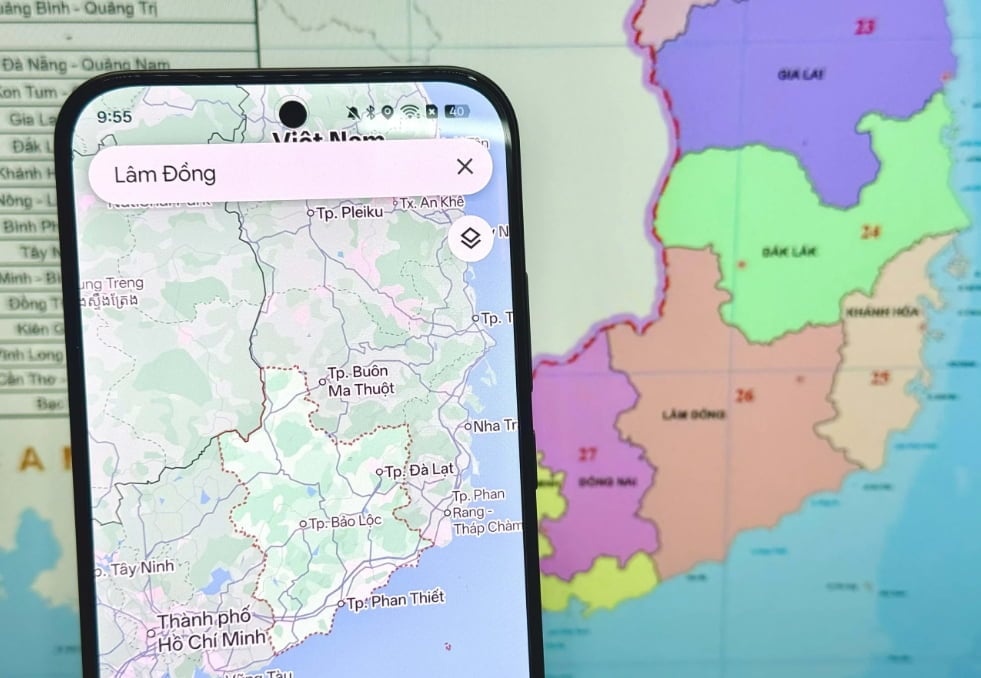
Yes. You can download Google Maps areas in advance and view the map and your GPS location without mobile data. However, offline maps have limited navigation features: walking, transit and cycling directions, live traffic and alternative routes require an internet connection.
To download an offline map:
- Open Google Maps while connected to Wi-Fi.
- Tap your profile picture, then Offline maps.
- Select Select your own map, adjust the area and tap Download.
Download the areas you’ll visit and test them in airplane mode before your trip. Make sure your entire driving route falls within the downloaded area, and update saved maps before they expire.
Google Maps uses mobile data to load map details, search for places and navigate online. Having mobile data available when you arrive makes it easier to find destinations and get directions. A Vietnam data-only eSIM is one option for staying connected; see our guide on how to activate an eSIM for setup instructions.
Does Google Maps show public transport in Vietnam?
Yes, but coverage varies by city. Google Maps provides public transport directions in Ho Chi Minh City, including Metro Line 1 between Ben Thanh and Suoi Tien. However, it may not suggest the metro for every suitable journey, so compare the available routes before choosing one.
For buses, local apps can provide a useful second opinion. BusMap covers routes in Ho Chi Minh City and Da Nang, while in Hanoi, you can check Tìm Buýt, the official app of bus operator Transerco. Comparing routes across apps can help you find options that Google Maps may miss.
Should you use Google Maps or Grab to get around?
Use Google Maps to find places, read reviews and plan routes, and use Grab to book rides. Xanh SM and Be are alternatives for ride-hailing.
Before booking a ride, check the pickup pin in the app you’re using rather than relying on Google Maps. If you’re staying in a narrow alley, choosing a pickup point at the alley entrance can make it easier for your driver to find you.
Our guide to Grab, Xanh SM and Be in Vietnam compares the three apps.
How do you set up Google Maps before your Vietnam trip?
Update Google Maps, save your accommodation, download offline maps and arrange mobile data before you fly. These steps help you find your way even if a location pin is inaccurate or you lose your internet connection.
Before departure, check that you have:
- Updated Google Maps and signed in with your Google account.
- Saved your accommodation and taken a screenshot of its address and entrance.
- Downloaded offline maps for the areas you’ll visit and tested them in airplane mode.
- Checked the motorbike option if you plan to rent a motorbike.
- Arranged mobile data so you can search for places and navigate online after landing.
Our Vietnam eSIM guide explains the available options. You can also learn how to share a mobile hotspot if you’re travelling with others.
Conclusion
Google Maps works well for most trips in Vietnam, but it isn’t always accurate in narrow alleys, and some addresses may still appear in their old format. Download offline maps before travelling, double-check your destination if the pin looks wrong, and use local transit apps or ride-hailing services when needed.
Most importantly, arrange mobile data before you arrive so you can search for places and get directions whenever you need them.